Step 1
Pick a v2v model
Use the picker on this page — it is filtered to type v2v only.
Restyle, extend, or transform an existing clip with models typed v2v in config. Same balance, per-second math, no seat licenses.
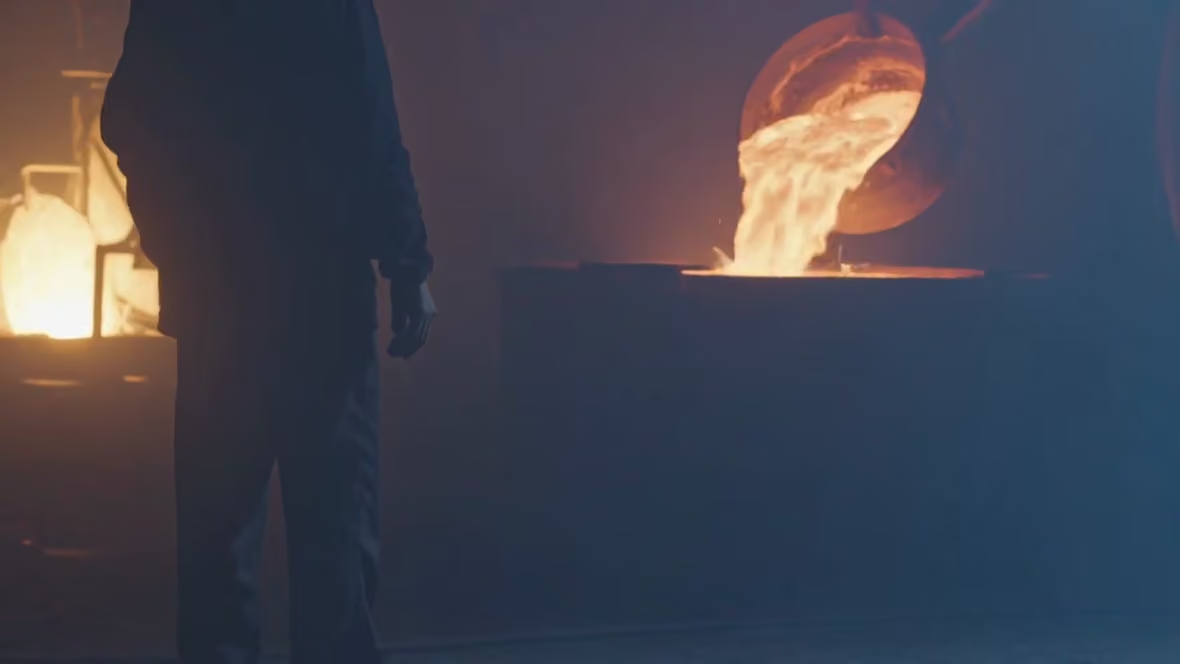
Kling 3.0 Motion Control · Prompt: Industrial foundry interior, molten metal glow, volumetric dust
Video-to-video models take an existing clip as input and restyle, extend, or motion-control it. FairStack only lists models whose config type is v2v.
Try video to video →9 selectable models — filtered from config capability flags, not a hand-maintained list.
$0.168/s of input
Remove a video background while preserving the foreground and motion. The default output is a WebM video (VP9) with an alpha channel for transparency. A player may display transparent pixels as black; use an editor that supports WebM alpha to composite the subject over a new background. Solid background colours and other containers can be selected in the model options.
$0.12/s of input (720p)
Gemini Omni Flash 1.1 Edit takes a video you already have and applies a described change to it — recolour an object, change the setting, remove an element — and returns the clip re-rendered. Simple instructions work best; adding 'Keep everything else the same' helps preserve the rest of the scene. There is no duration control: the output runs as long as your source clip. There is no aspect control either — the resolution you pick (360p, 720p, 1080p or 4K) sets the canvas, and your clip is re-framed into it, so a square source comes back widescreen. Billing is per second of output at the chosen tier, at the model's cost plus a flat 20% platform fee, shown before you spend. Voice editing is not supported, and editing uploaded videos is unavailable to users in the EEA, Switzerland and the UK.
$0.06/s of input
Grok Imagine Edit Video is xAI's AI-powered video editing model that applies targeted modifications to existing video content using natural language instructions. Users describe the desired changes, and the model transforms the video accordingly while preserving unmodified elements and maintaining temporal coherence across frames. The Grok architecture benefits from xAI's investment in language understanding, translating editing instructions into precise visual modifications. Per-second billing keeps costs proportional to the source video duration. Against other Grok Imagine models, the Edit Video variant brings the same strong value proposition to the editing category. Best suited for AI-driven video editing, per-second editing workflows, and cost-effective video modifications where affordable per-second billing matters. Available on FairStack at infrastructure cost plus a 20% platform fee.
$0.336/s of input (720p)
Happy Horse Video Edit is Alibaba's video-to-video editing model, applying prompt-driven edits to existing video. It serves as an alternative-provider editor in the FairStack v2v-edit lineup, offering a different model lineage from the Kling family for editing tasks such as style change and scene modification. With per-second billing, it provides a cost-effective editing option. The model preserves motion structure while applying the requested visual changes with frame-to-frame consistency. Best suited for general video editing where an Alibaba-lineage editor is preferred or as a fallback to the Kling editors. Available on FairStack at infrastructure cost plus a 20% platform fee.
$0.12/s of input (720p)
Kling 3.0 Motion Control is a video-to-video model on FairStack. $0.12/s of input (720p): base model cost + a flat 20% platform fee, shown before you spend.
$0.1128/s (720p)
Kling 4.0 Edit changes an existing clip from a text instruction: swap a background, change a costume, restyle a scene. Give it one source video (3 to 30 seconds) and up to 4 reference images, mention the source as @video_1, and pick the output length (3 to 30 seconds) and resolution (720p or 1080p). Priced per second at the resolution you pick: the provider's rate plus a flat 20% platform fee, shown before you spend. The bill counts the source clip's length as well as the output's (at least twice the output), as the provider bills it.
$0.2016/s of input (no audio)
Kling O1 V2V Edit is Kuaishou's prior-generation video-to-video editing model, applying prompt-driven modifications to existing video while preserving motion and temporal coherence. It handles environment and object replacement, element insertion, and scene adjustment. With per-second billing, the O1 tier offers a cost-effective editing path for workflows that do not require the latest O3 refinements. The model maintains frame-to-frame consistency while applying visual modifications to the source clip. Compared to the O3 editors, O1 trades some refinement for a lower per-second price, making it a practical option for general video editing tasks. Available on FairStack at infrastructure cost plus a 20% platform fee.
$0.2016/s of input
Kling O3 Pro V2V Edit is Kuaishou's premium video-to-video editing model in the O3 generation, delivering maximum-quality AI-powered edits to existing video content. The Pro tier produces the most refined editing output in the Kling V2V lineup, handling complex modifications while preserving temporal coherence and visual quality. The premium reflects the compute required for high-fidelity video editing that maintains frame-to-frame consistency while applying significant visual modifications. The model handles style changes, element modification, and scene adjustments. Against non-Kling V2V editors, it benefits from Kling's strong motion quality reputation applied to editing. Best suited for premium video editing and maximum-quality V2V transformations where the highest editing fidelity justifies the premium per-second pricing. Available on FairStack at infrastructure cost plus a 20% platform fee.
$0.1512/s of input
Kling O3 Standard V2V Edit is Kuaishou's balanced video-to-video editing model in the O3 generation, offering good editing quality with per-second billing at a moderate price point. The Standard tier delivers reliable video editing results without the premium pricing of the Pro tier. The model handles common video editing tasks including style adjustment, element modification, and scene transformation with frame-to-frame consistency. Best suited for balanced video editing, general V2V transformations, and everyday editing workflows where good quality at a reasonable per-second price provides practical value. Available on FairStack at infrastructure cost plus a 20% platform fee.
Step 1
Use the picker on this page — it is filtered to type v2v only.
Step 2
Clean motion and stable exposure give the model less to invent.
Step 3
Say what should change and what must stay (identity, framing, product).
Step 4
Run, review, then iterate. Your balance never expires if you pause.
Name the invariants: logo legibility, face identity, product color.
Trim to the action before you spend seconds on a long plate.
Apply a look to live-action plates without a full grade session.
Reuse camera paths across product variants.
Models with config type v2v, including entries like Kling 3.0 Motion Control. The picker is generated from that flag.
Still have questions? We're here to help.